01
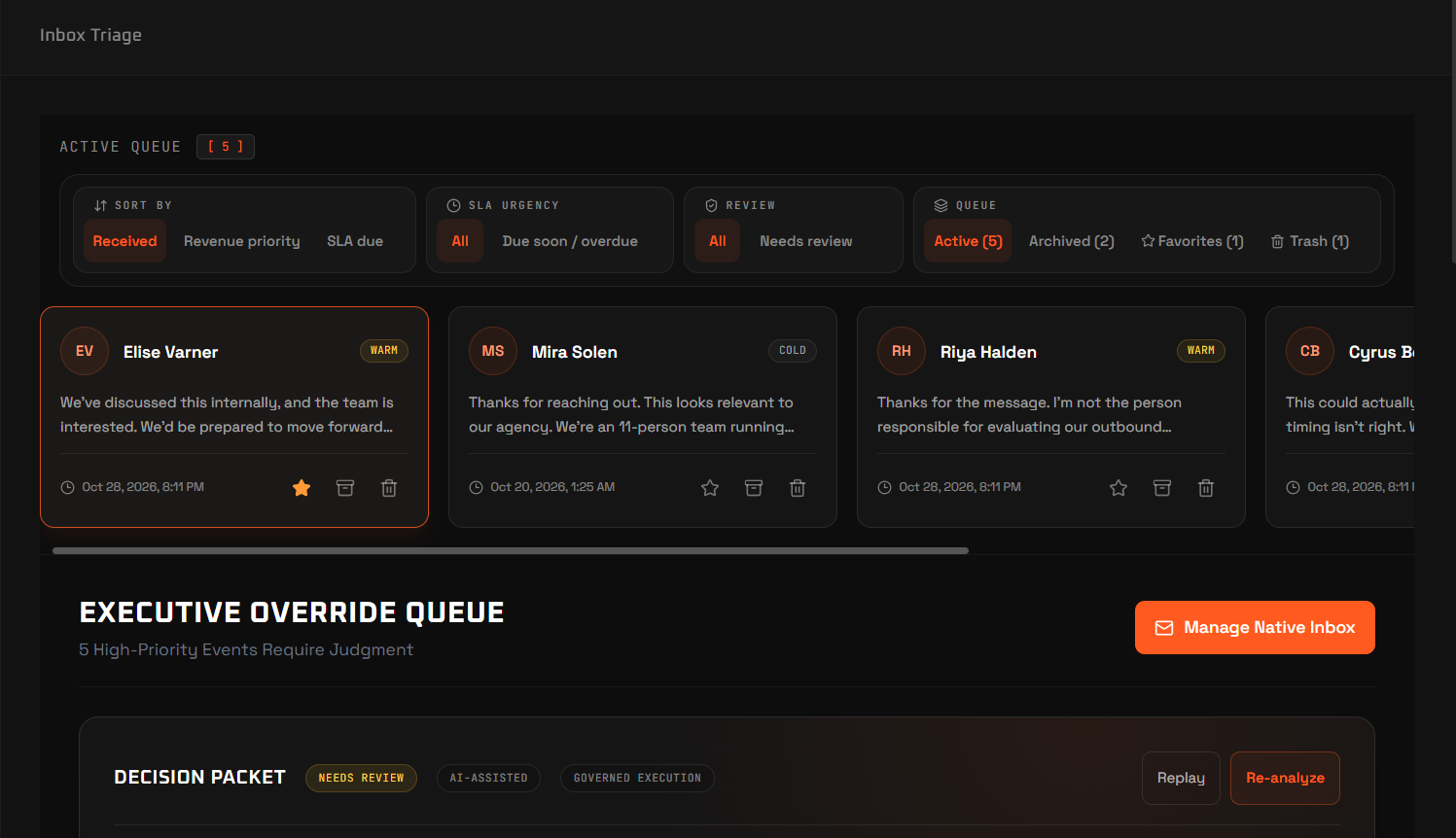
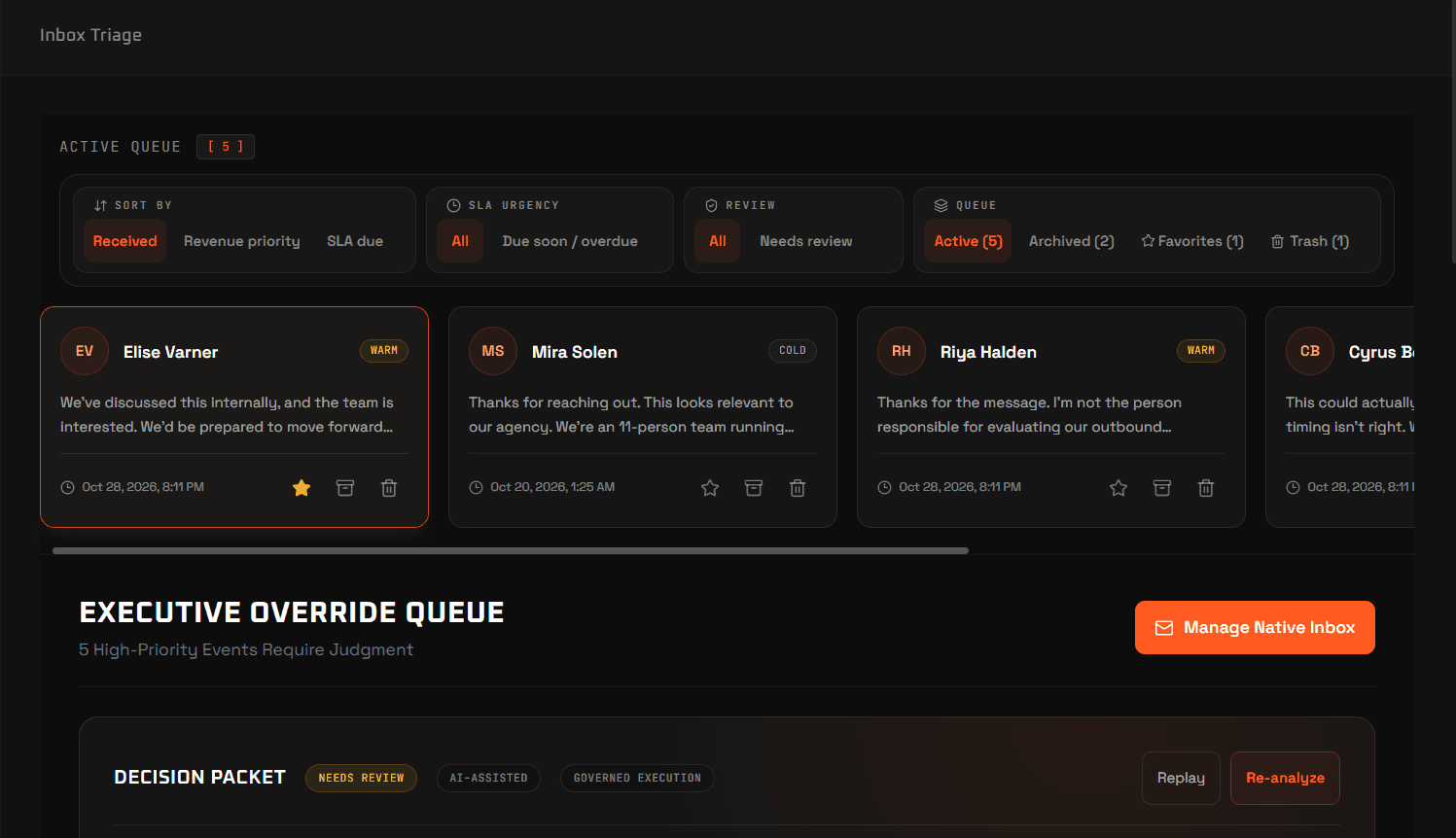
Inbox Triage
Show what happens when qualified prospects reply.
 FrameLeads
 / Partner Program
Know a founder-led B2B agency or consultancy running outbound? Introduce them to FrameLeads, the decision layer for what happens after a prospect replies.
Core · $149/month
30%
$44.70 per qualifying monthly payment
Enterprise · $499/month
30%
$149.70 per qualifying monthly payment
Affiliates earn 30% on eligible initial and recurring subscription payments while the referred subscription qualifies. Amounts shown assume the full monthly price and may vary with discounts, refunds, taxes, or provider adjustments.
Simple from signup to sharing
Enter your name and email to request access to the FrameLeads partner program.
Partner application
Join FrameLeads
First name
Last name
Email address
Confirm your email, then open the FrameLeads welcome message with your Whop referral links.
Your Whop referral links for Core and Enterprise are ready. Sign in to Whop to manage them.
Open your dashboard to access referral links.
In Whop, select Refer buyers and copy the individual links for Core and Enterprise.
Use the copy icon beside each product
Your Whop dashboard contains the latest instructions. Read them there before promoting FrameLeads.
Affiliate instructions
Illustrative walkthrough. Affiliate links and latest partner guidance appear in each affiliate's own Whop dashboard.
Partner resources / Product proof
Start with Inbox Triage, the clearest way to demonstrate what FrameLeads does after a prospect replies. Preview the four featured screenshots below, or download the complete 23-screen library to explain the wider workflow without needing a product login.
Start with Inbox Triage: replies → intent → decision
01
Show what happens when qualified prospects reply.
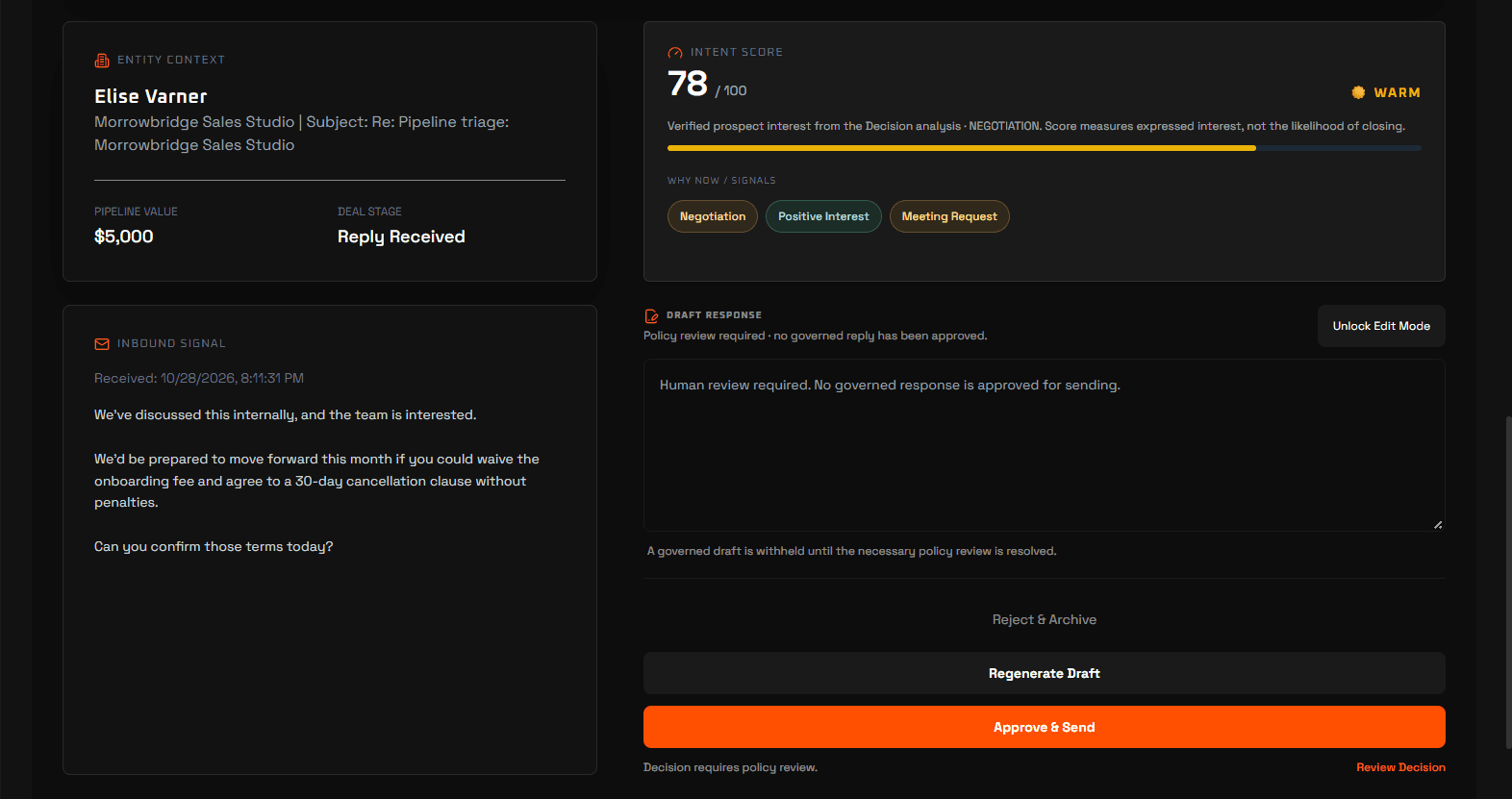
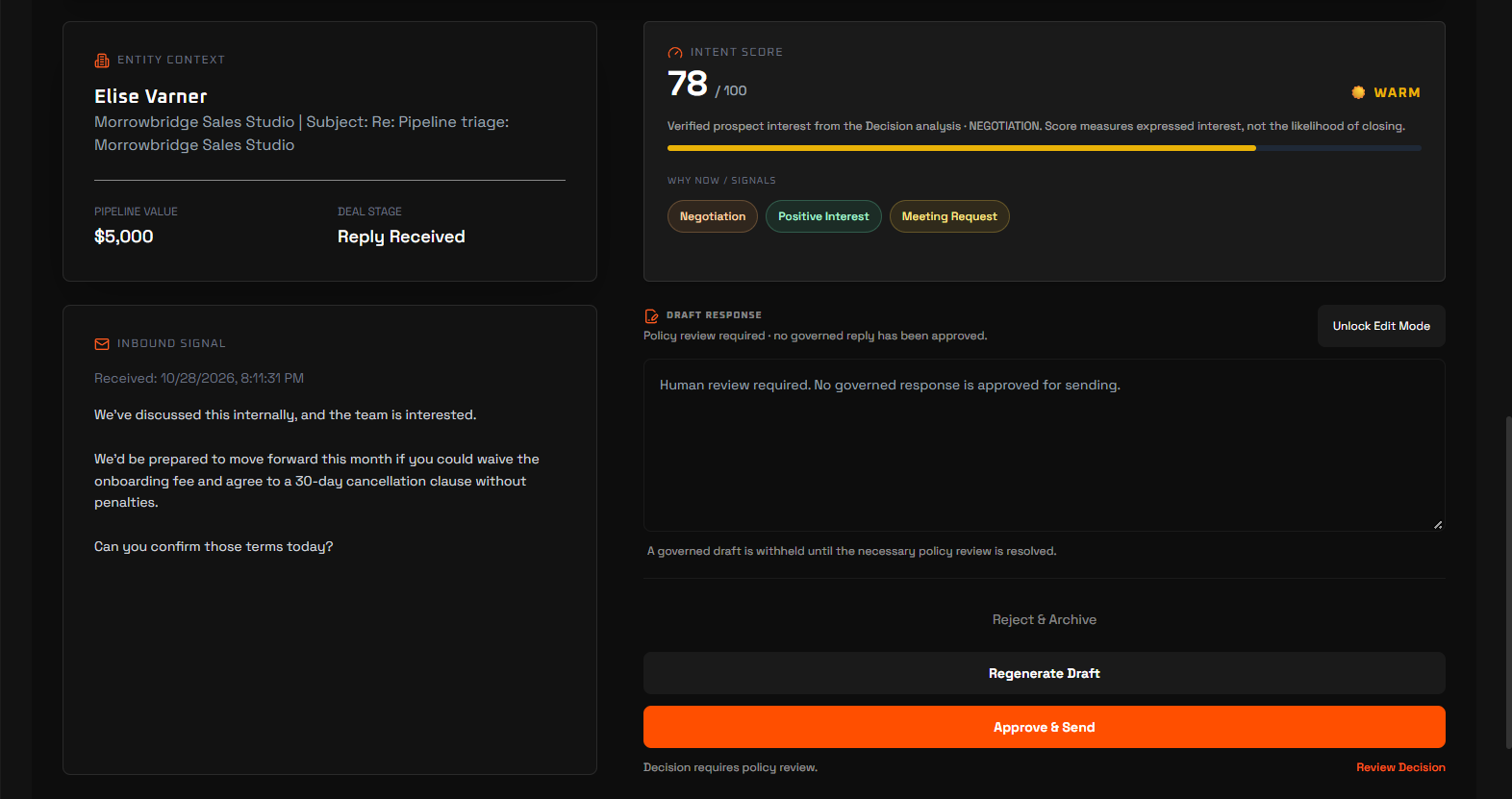
02
Explain the buying signals and the limits of an intent score.
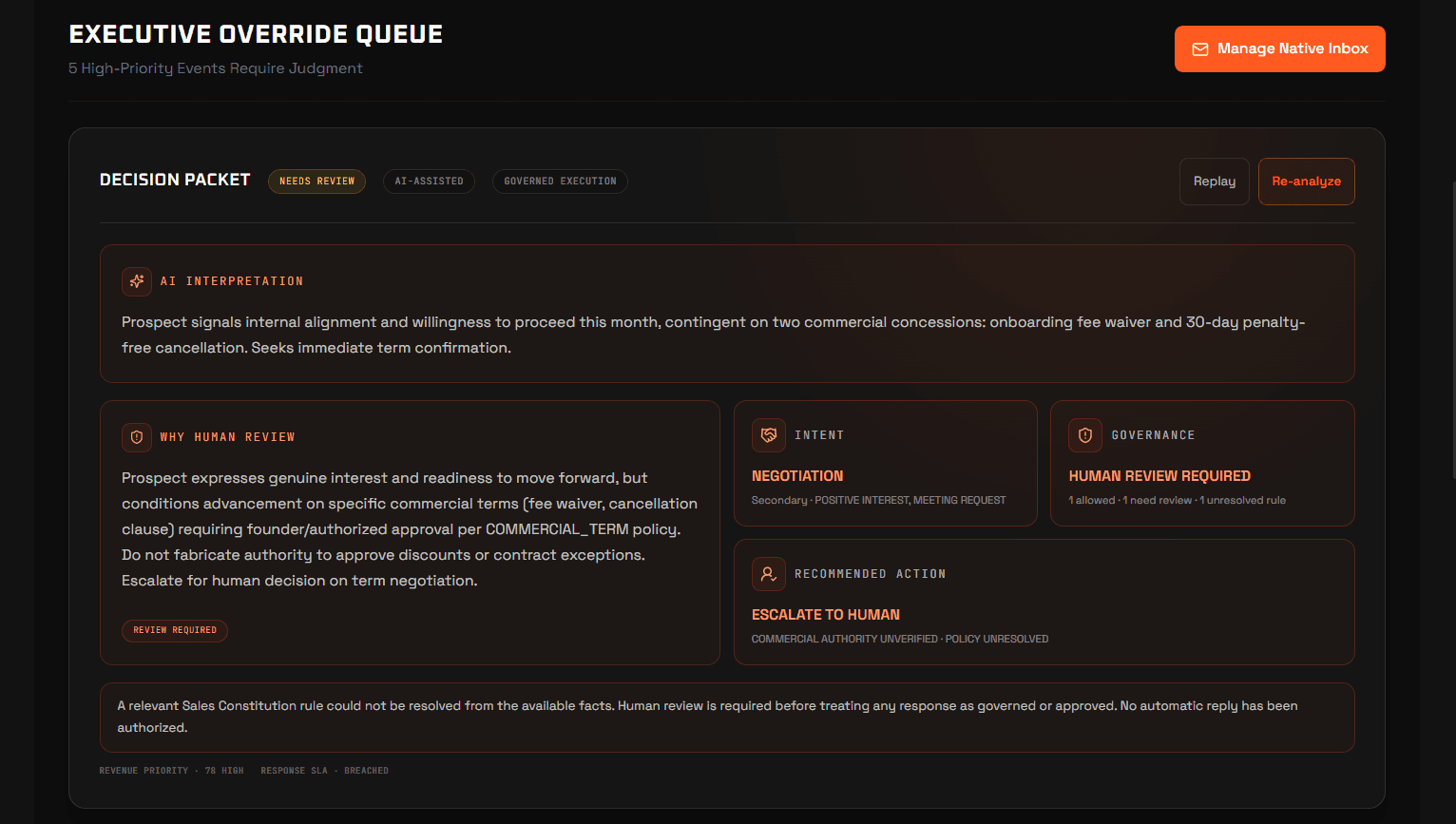
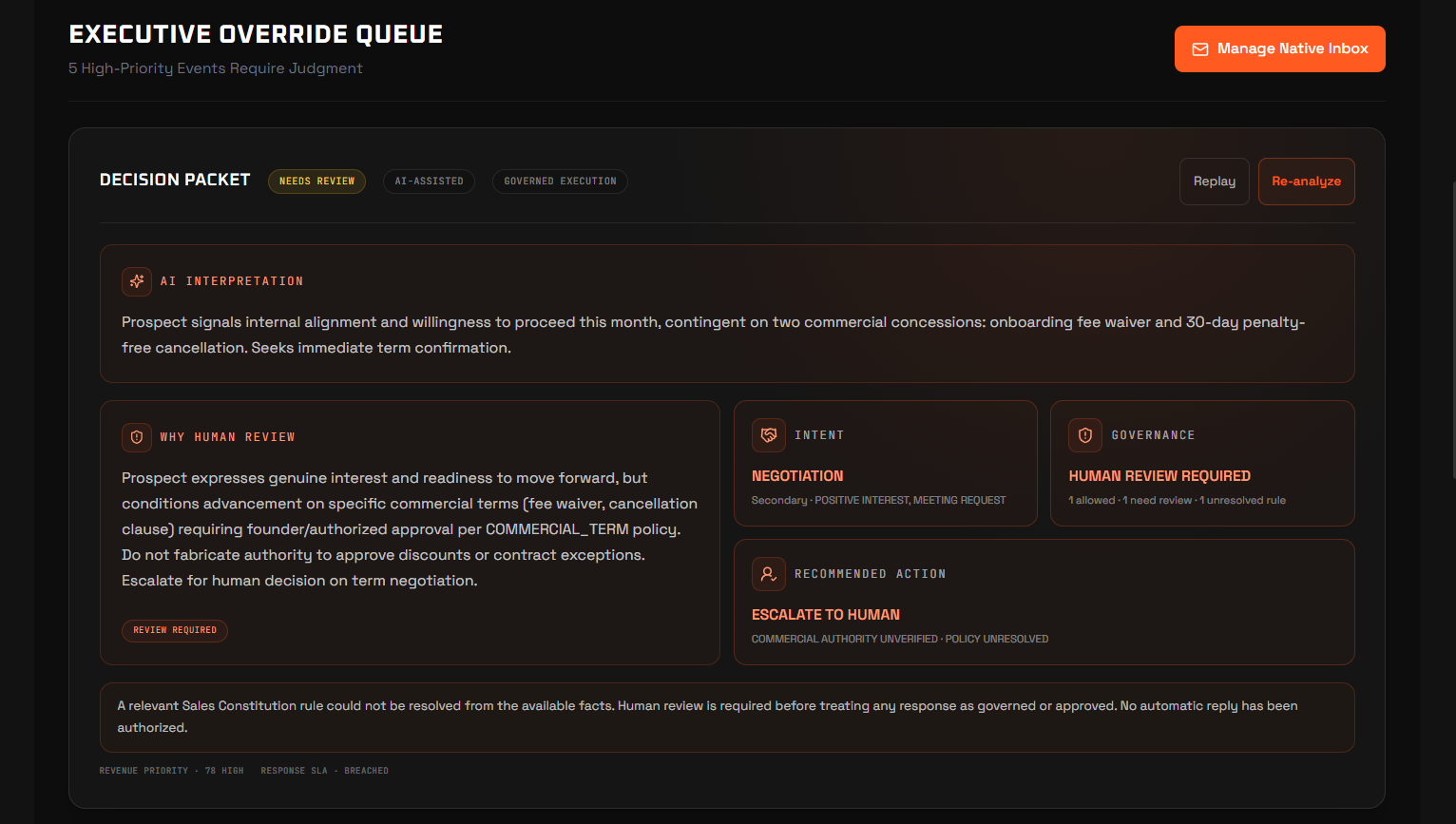
03
Demonstrate a commercial exception that requires human approval.
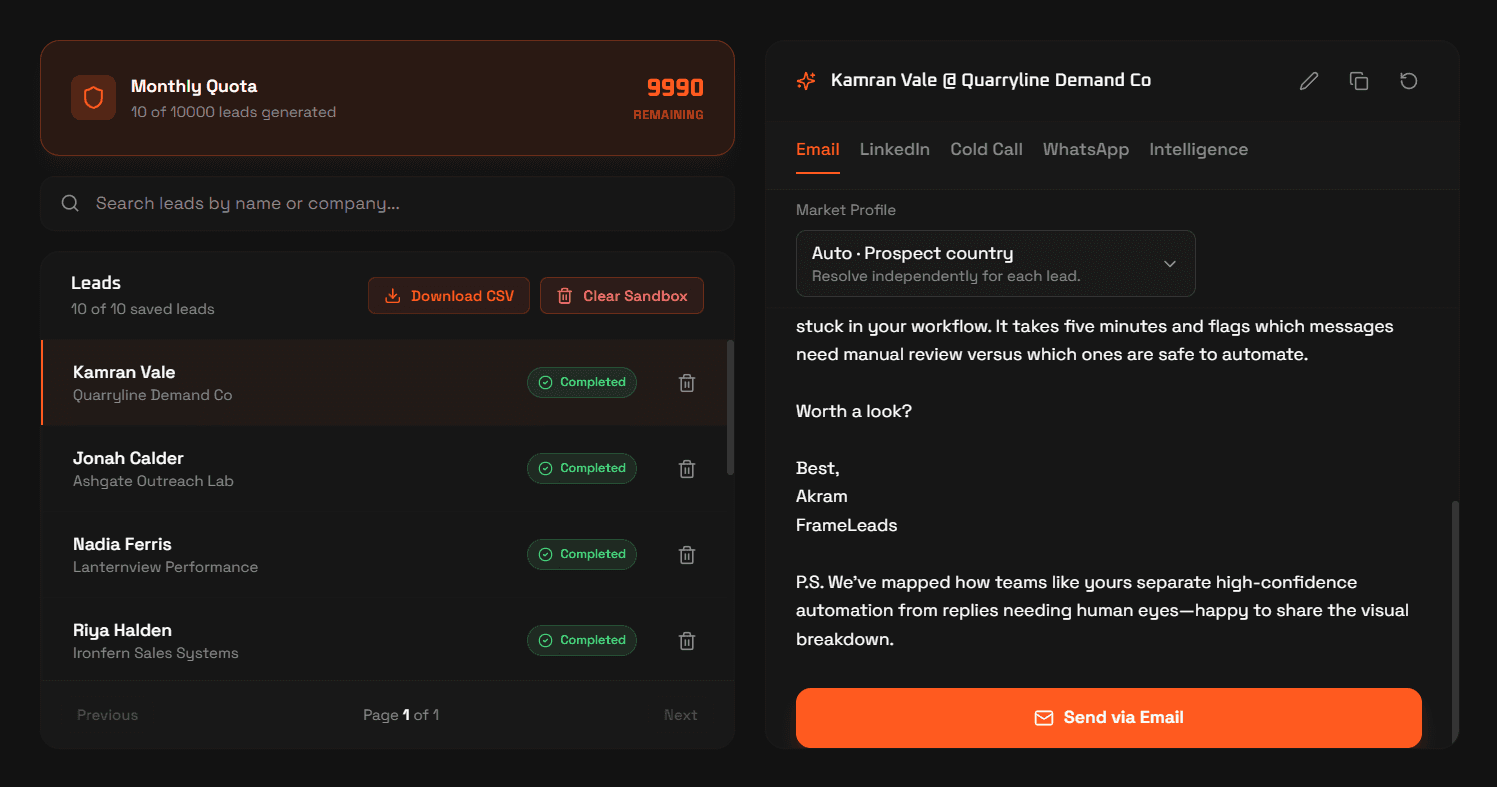
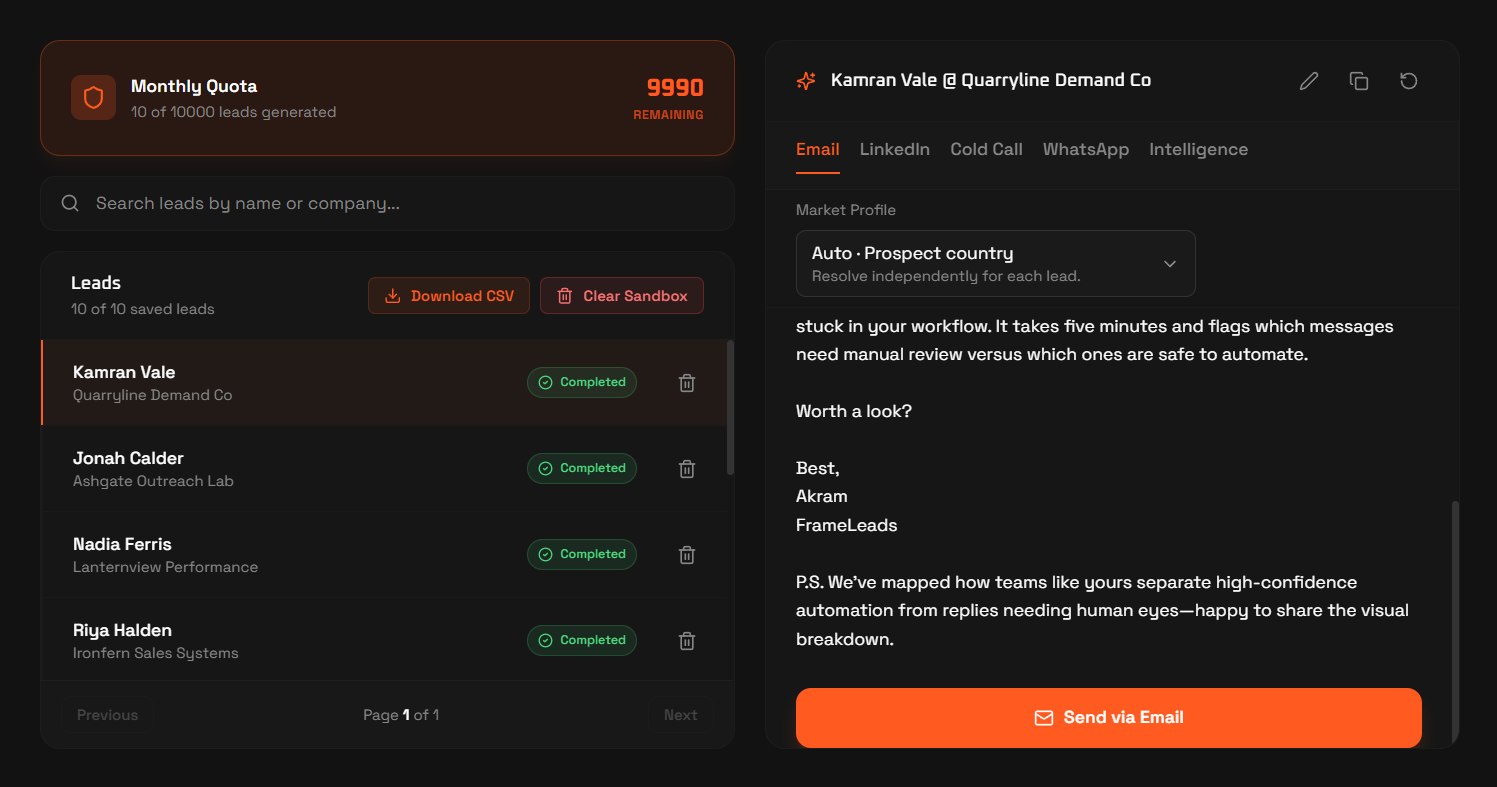
04
Show the prepared outreach workspace and its prospect context.
Use them responsibly. All 23 screens show FrameLeads application interfaces with illustrative demo prospect data, not verified customer results. Don't claim guaranteed revenue, autonomous approvals or fake success metrics.
Privacy choices
The Reply Workflow Audit works either way. Optional analytics and advertising tags stay off until you choose.